
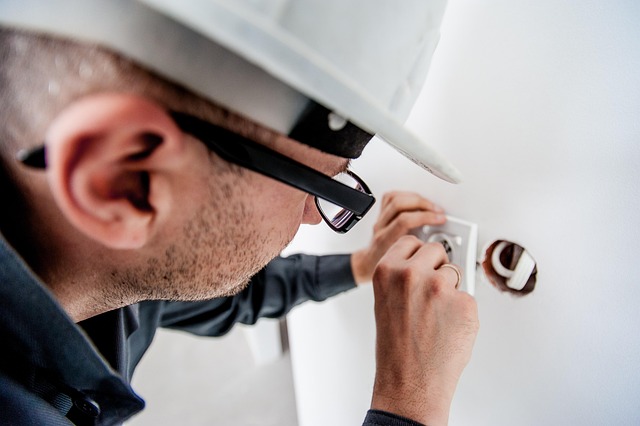
From Dingy to Digital
Walk around your house and look at your electrical outlets. Are they painted over? Are they an ugly shade of yellowed beige? When you plug in a vacuum cleaner or a phone charger, does the plug fall out because the outlet has lost its grip?
If you answered yes, you are dealing with more than just an aesthetic problem. Old outlets—specifically those that are loose—are a fire hazard. A loose connection creates heat, and heat inside a wall is never a good thing.
Replacing these relics with crisp, white, modern receptacles (perhaps even ones with built-in USB ports) is one of the cheapest and most satisfying upgrades you can make. It instantly modernizes a room.
However, electricity scares people. And it should. It deserves respect. But if you follow proper safety protocols, replacing a standard outlet is a straightforward task that doesn’t require an electrician’s license in most jurisdictions (though you should always check your local codes).
In this guide, we will walk through the process slowly, focusing on safety, correct polarity, and longevity.
Safety First: The Non-Negotiables
Before we talk about screwdrivers, we need to talk about survival and common sense dictate that we must be incredibly clear here:
- Never assume the power is off. Just because the lamp went out doesn’t mean the outlet is safe.
- Aluminum Wiring Warning: If your home was built between the mid-1960s and early 1970s, check your wiring. If the wires are silver/grey (aluminum) instead of copper, stop. You cannot use standard outlets. You need outlets rated “CO/ALR” and specific installation methods. This guide assumes you have standard copper wiring.
- If you are unsure, call a pro. There is no shame in calling an electrician if the wiring looks melted, complex, or confusing.
Phase 1: Preparation and Tools
You don’t need a garage full of tools, but you do need the right ones.
The Toolkit
- Non-Contact Voltage Tester: This is your life-saver. It beeps when it gets near a live wire. Do not attempt this without one.
- Screwdrivers: A flathead (for the faceplate) and a Phillips #2 (for the outlet screws).
- Wire Strippers/Cutters: In case you need to trim damaged wire ends.
- Needle-Nose Pliers: Essential for bending the wire into a loop.
- The New Outlet: A standard 15-amp duplex receptacle (or a USB/Smart outlet).
Understanding the “Anatomy” of a Modern Outlet
Pick up your new outlet. Look at the sides. You will see screws of different colors. This is not a design choice; it is a code requirement.
- Brass (Gold) Screws: These are for the HOT (Black) wire.
- Silver Screws: These are for the NEUTRAL (White) wire.
- Green Screw: This is for the GROUND (Bare copper or Green) wire.
Mnemonic to Remember: “Black Gold.” The black wire always goes to the gold screw.
Phase 2: Removal of the Old Device
Step 1: Kill the Power
Go to your breaker panel. Flip the breaker labeled for the room you are working in.
- Pro Tip: Plug a radio or a lamp into the outlet and turn it on before you go to the panel. When the radio stops singing, you found the right breaker.
Step 2: The “Double Check”
Take your non-contact voltage tester. Stick the tip into the outlet slots. If it beeps or lights up, the power is still on. If it is silent, double-check firmly against the faceplate screws. Dead silence = Safe to proceed.
Step 3: Unscrew and Inspect
Remove the center screw of the faceplate. Then, remove the top and bottom screws holding the actual outlet to the blue or metal box in the wall. Gently pull the outlet out. Do not yank. Old wires can be brittle.
Step 4: Identify the Wiring Configuration
You will likely see one of two scenarios:
- End of Run: One black wire, one white wire, one ground. (Simple).
- Middle of Run: Two black wires, two white wires, one ground. (This means the power goes through this outlet to the next one).
Phase 3: Wiring the New Outlet (The Professional Way)
Here is where many DIYers make a mistake. They use the “stab-in” holes on the back of the outlet because it’s easy. Do not use the stab-in holes. Why? Because the spring mechanism inside weakens over time, leading to loose connections and arcing.
We are going to use the side screws (the Hook Method).
Step 1: Prepare the Wires
If the old wires are bent or nicked, snip off the ends and strip about 3/4 inch of fresh insulation. Use your needle-nose pliers to bend the end of the wire into a “J” hook or a shepherd’s crook.
Step 2: Connect the Ground (Safety First)
Always connect the Ground wire first.
- Hook the Bare Copper/Green wire around the Green Screw on the new outlet.
- Crucial Detail: The loop of the hook should go clockwise around the screw. Why? Because as you tighten the screw (righty-tighty), it will pull the loop closed. If you put it on counter-clockwise, tightening the screw opens the loop.
Step 3: Connect the Neutral
- Connect the White wire(s) to the Silver screw(s).
- If you have two white wires, it doesn’t matter which silver screw they go to, as long as they are both on the silver side.
Step 4: Connect the Hot
- Connect the Black wire(s) to the Brass/Gold screw(s).
- Tighten firmly. A loose screw is a fire risk.
Pro Tip for Safety: Once all wires are connected, wrap a layer of electrical tape around the perimeter of the outlet, covering the screw heads. This prevents accidental shorts if the outlet touches the side of a metal box.
Phase 4: The “Modern” Upgrade (USB & Tamper Resistant)
If you are installing a modern outlet, you might notice “TR” stamped on the front. This stands for Tamper Resistant. There are plastic shutters inside the slots that prevent children from sticking keys or forks in.
Installing USB Outlets: If you are upgrading to an outlet with built-in USB ports, be aware that the device is physically much “fatter” (deeper) than a standard outlet.
- Check Box Space: Before buying, look inside your wall box. If it is crowded with wires, a bulky USB outlet might not fit.
- Line vs. Load: Standard outlets don’t care about “Line” vs “Load” unless they are GFCI (the ones with the buttons). However, always read the instructions on USB outlets to ensure you aren’t reversing the input.
Phase 5: Reassembly and Testing
Step 1: The Fold
Gently fold the wires like an accordion into the box. Do not just jam the outlet in. Push the outlet back until the metal ears rest against the wall.
Step 2: Screw and Level
Tighten the top and bottom mounting screws.
- Tip: Do not tighten them all the way immediately. Adjust the outlet so it is vertical (straight), then lock it down.
Step 3: Faceplate
Install the new clean faceplate. Be careful not to overtighten the plastic screw—it cracks easily.
Step 4: The Moment of Truth
Go back to your panel and flip the breaker on. Use an Outlet Tester (a small plug-in device with three lights, costs about $8). Plug it in.
- Two Orange Lights: Correct wiring.
- Red/No Lights: Something is wrong. Turn power off and re-check connections.
Common Troubleshooting
“The outlet works, but the top plug is switched by a wall switch.” This is a “switched outlet.” On your old outlet, look at the side between the two gold screws. You will see a small metal tab connecting them. That tab was likely broken off. On your new outlet, you must use needle-nose pliers to snap that tab off, separating the top and bottom power feeds.
“The wires are too short to reach.” Do not stretch them. Buy “Wago” connectors or wire nuts and a short scrap of wire (pigtail) to extend them safely.
Conclusion
Replacing an old outlet is a rite of passage for homeowners. It stops the frustration of loose plugs and removes a potential fire hazard from your walls.
By using the side screws instead of the “stab” holes, and by wrapping the device in tape, you have performed an installation that is actually better than what many rushed builders do.
You have taken a small piece of your home infrastructure and made it safer, stronger, and better looking.
Now that your power is secure, would you like to know how to install a dimmer switch to control your lighting ambiance?
Want to relax while doing housework? Try this app on the Apple App Store. It’s free!
https://apps.apple.com/us/app/sonidos-relajantes-para-dormir/id6756495755